Number 7 : Dell XPS 13

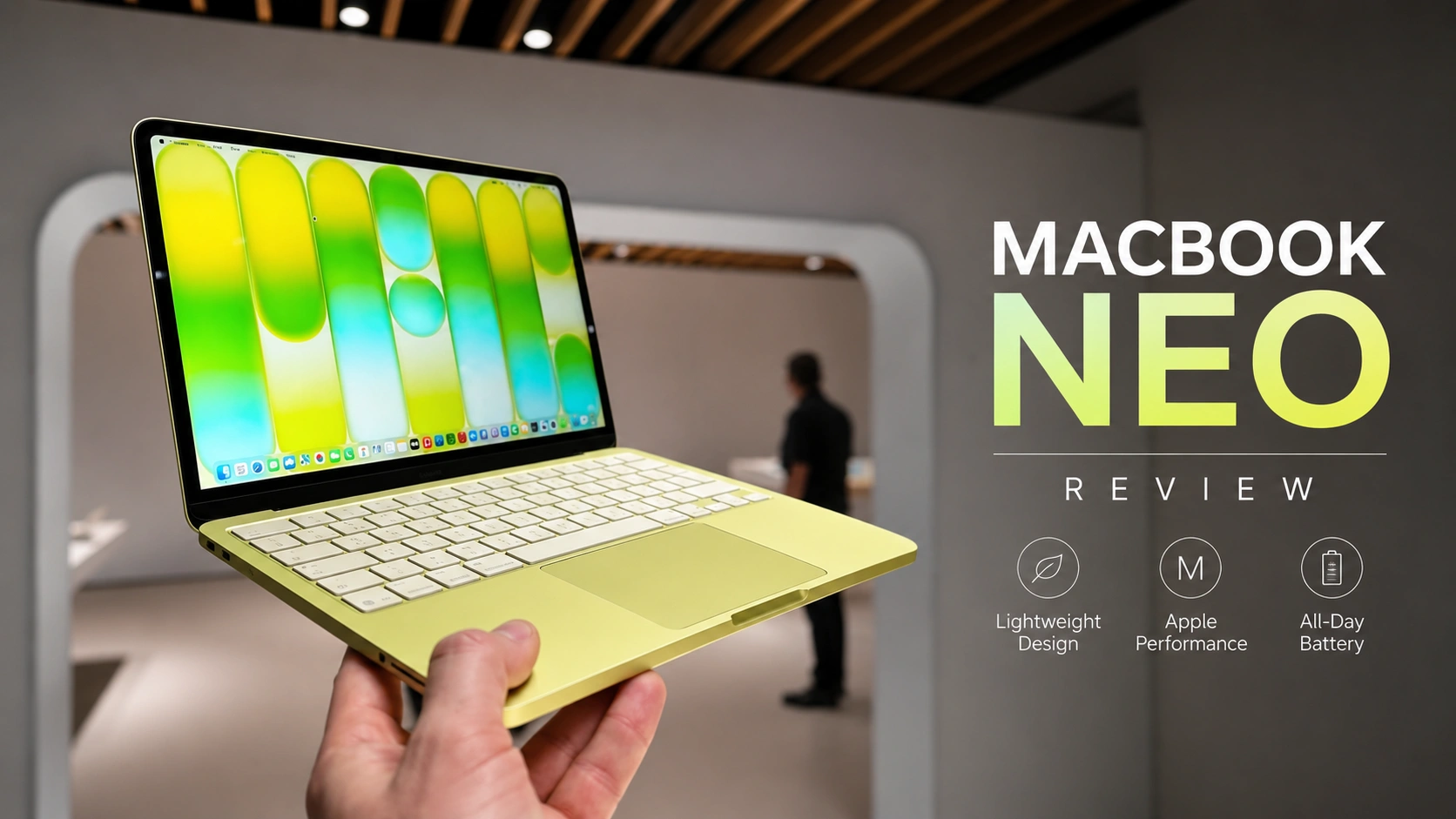
At number 10 is the new Dell XPS 13. If you are someone who’s just studying something with, you know, basic computing needs, and you’re shopping on a tighter budget, this is a laptop to take a look at. The XPS is unusually premium for its price. It comes in around $800 for the model that we recommend with a student discount. It’s a very similar laptop to the MacBook Neo, in that it’s for someone who’s prepared to sacrifice performance for a high-quality laptop.
The XPS, it can come with 16 gig of memory, which is what we recommend for most students. It is lighter than the Neo. It has a larger 13.4-in screen, even though they’re physically around the same size. Its screen, the XPS’s that is, is not only bright and high resolution, but it has a fast refresh rate, and it’s a touchscreen, too. It’s got a very effective anti-reflective coating, so you won’t notice reflections as much on this laptop. Very helpful if you’re out in a bright environment, like you’re studying in a coffee store. The XPS’s keyboard, it also has a backlight, so you can see it in the dark. Now, its main downsides are that its keyboard is low travel.
It will get the job done, but it’s not the most comfortable keyboard out there. And more importantly, its performance is poor. This laptop is only suitable for students studying non-technical courses, say, social sciences. Do not buy this laptop if you think you’re going to change disciplines or explore something different at school like say photo editing, making videos, that sort of thing.
Number 6 : HP OmniBook 3
If you’re looking for something around the X specific price point, but you want a safer level of performance, our number nine pick is what you should look at. HP’s OmniBook. These are the value kings of student laptops. That’s when they’re on sale and they’re often on sale. The OmniBook 3 feels the cheapest of the bunch. It’s a very no-frills laptop. The OmniBook 5 is a bit better with a better keyboard and trackpad. The OmniBook 7s and Xs, they look more modern and stylish and all their starting configs have decent processors.
At the top of the range is the OmniBook Ultra, which is a big step up. It has a very premium feeling metallic chassis and it comes with top-tier creature comforts like a haptic trackpad. If you see flipping an OmniBook’s name, it means it can convert into a tablet, which I know a lot of students like. Each OmniBook can be equipped with a variety of different processors and screens. Poor performing processors like the one in the Dell XPS 13 and some of the cheapest OmniBooks, they are very restrictive. As I said, they should only be purchased by students studying something with rudimentary computing needs.
Decent performing processors like the ones in most OmniBooks are good enough for the majority of students. If you’re studying STEM, I’d actually look for a processor classified as good performing. The more expensive OmniBook Ultras, they all come with one of those. Now, whether a specific OmniBook is worth buying, it just really depends on its price and the config you’re getting. But in general, I’d only buy an OmniBook 3 or 5 if they’re around $500 or less that is and come with a decent processor.
![Laptop Buying Guide [2026] Best Laptops under 40k, 50k, 60k in 2026](https://dizitech.in/wp-content/uploads/2026/08/ChatGPT-Image-Aug-6-2026-10_17_16-AM.webp)
Omnibook 7s and Xs, they are more ideal for most students. I’d be willing to spend $800 to buy one of them. You get more performance than the XPS I mentioned, but they’re a little less premium. Now, Omnibook Ultras, they are fantastic, and I’d go as high as $1,500 to get one of them. Lastly, I do recommend you avoid buying a 16-in Omnibook with a 1920 by 1200 2K display. This is a bit of a bait. Content just isn’t going to look crisp on such a large panel with so few pixels. You really aren’t going to see more than you would have on a 14-in screen, so why lug around the extra weight? I think it makes more sense to just get a monitor for your dorm room.
Number 5 : Lenovo Yoga Slim 7

Now, coming in at number eight are Lenovo’s Yoga 7s. The Yoga 7s are just a step up in quality over the Omnibook 3. They have more comfortable keyboards, and they’re more rigid. They’re just a little bit better built. The Yoga Slim 7i Ultra, that’s even a step up in quality over the Omnibook Ultra. It is just as well built, but it’s lighter and more portable. The Yogas, they all have powerful enough processors for most students. If you do see Slim in its name, it is a traditional clamshell laptop. If it doesn’t have Slim, it’s a two-in-one, and you can convert it into a tablet. Now, there are several different variants of the Yoga 7s, but they all share the same basic chassis.
The Yoga 7is come with an Intel chip, and the 7is come with AMD. Both Intel and AMD processors give you the broadest application compatibility. Everything’s going to run on them, which is what you want as a student. If you are picking between them, Intel Core Ultra Series 3 is currently better than what AMD has. So, I’d pay an extra $100 or $200 to go with Intel. The Yoga Slim 7X has a Qualcomm processor, and it’s more of a situational choice. Qualcomm chips, they actually faster than comparable Intel or AMD ones, and they are more power efficient. So, you get longer battery life.
Well, why did I say buying a Qualcomm laptop is situational? It’s because they just have compatibility issues. Not all Windows applications and accessories work with these laptops. I personally own the Slim 7x and I love it. No fan noise, no heat, long battery life. However, my Thunderbolt dock doesn’t work with it. But as a student, I’d only buy a Qualcomm laptop if your course is only require such applications, you know, office, web browsing, and collaboration tools. Okay, rounding out the Yogas, just be aware some of them like my one do not have a headphone mic jack, Bluetooth only. Also, just like Omnibooks, be very careful of buying one with a 16-in screen with a 2K, you know, 1920 by 1200 resolution. Again, it’s a bait. You won’t really see that much more information on it.
Number 4 : Apple MacBook Air

Number four is the quintessential student laptop, the MacBook Air. If you’ve ever walked around a campus, you’ll see a ton of these and for good reason. The Air is a laptop you buy you just don’t have to worry about. It has a premium build. It has a very powerful processor, good battery life, nice enough screen, excellent trackpad, and it’s very light and portable. You just don’t see this combination in a Windows laptop at this price point, even after Apple raised their prices.
Now, on that note, this is an important time to mention older laptops. Many laptops, like the Legions I just talked about and these MacBook Airs, they haven’t improved that much from last year. So, if you can snap up last year’s version for say $200 cheaper, just get that. Overall, the Air, whether M4 or M5, it’s ideal for most students, as long as your software runs on macOS, which is most of you, and you don’t need an Nvidia GPU.
Number 3 : Lenovo ThinkPad X9
All right, the best Windows laptop for most students is our number three pick, the ThinkPad X9. What do students fundamentally want in a laptop? They want a high-quality screen that’s large enough to get real work done. They want reliability, including broad application compatibility and performance they can count on. They want long battery life. Guys, this laptop ticks all the boxes. It has a stunning 15.3-in OLED display.
It is compact and portable given its screen size, and it is really well-built. There are two variants, the regular X95, which gives you decent performance, and there is the 15P, which is the performance version. That one has a beefier cooling solution, extra ports, and a more powerful processor, either an Intel Panther Lake H or X chip. Both the H and X chips, they give you similarly strong CPU performance in the same class as Apple’s M5. Now, expert tip, normally the X chips, they’re the ones with a powerful integrated GPU, but this specific Ultra 5 H chip, it has one, too. So, you might want want save some money and just get that version.
Either configuration of the 15p will be enough for low-end gaming and basic content creation. And regardless of which ThinkPad X1 15 you get, they all have exceptional battery life. The only reason I don’t personally use one every day is because it’s keyboard just isn’t quite as comfortable as some other laptops on this list like the Yogas and the Legions.
Number 2 : MacBook Pro 14

And on that note, the best laptop for most students is our number two pick, the MacBook Pro 14. It is portable, it is powerful, and everything about it is premium. Like the Air, this is a laptop you buy and you don’t need to worry about, but the Pro even more so. The M5 processor runs better in it because it’s fed more power, and this laptop has a fan to keep it cool. The base MacBook Pro 14 with that M5 chip totally good enough for anything you’re going to be studying.
Now, if you can afford it, I really like the M5 Pro 15 cool. It is significantly more powerful. It comes with more memory as standard, 24 gig. I think it is the ideal configuration for someone studying software development or doing creative work like music production, video editing, or audio engineering. One thing I do want to call out that’s special about the MacBook Pro is that you’ll be able to see more content on its 14.2-in display than on other similar-sized Windows laptops. This is because of its extremely high-quality panel and the way macOS renders fonts. You see, small text just looks sharper. This allows you to set your display scaling zoom out and see more information without needing to squint. The more you can see, the more productive you are.
I found I could see slightly more lines of code on my MacBook Pro 14 than a 16-in Windows laptop with a high-resolution screen. On top of this, the MacBook Pro’s displays get very bright, and they have an effective anti-reflective coating. But, if you want to use your MacBook Pro outdoors, well, you can upgrade it to a nano-texture display, which cuts them out almost completely. So, if the MacBook Pro 14 is the best laptop for most students
Number 1 : Zephyrus G14

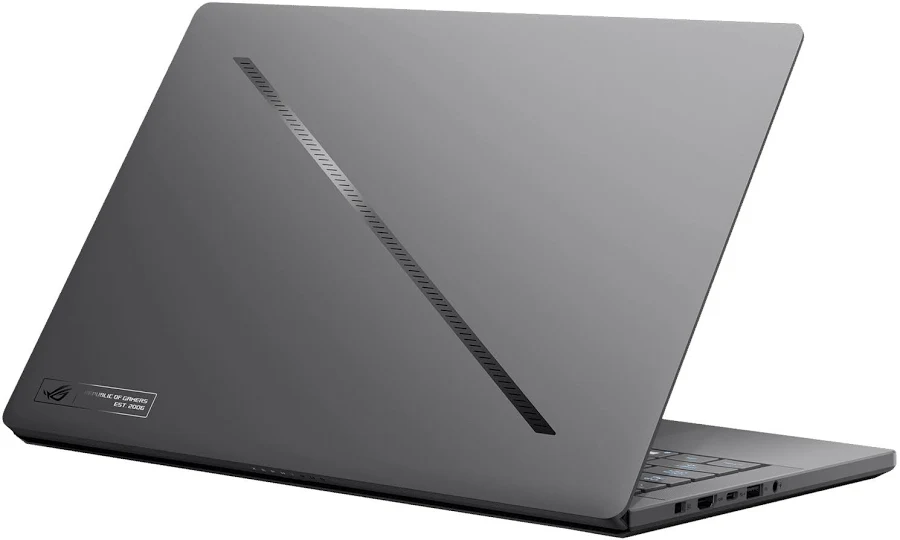
Well, there is one laptop that is very good for all students, but it does make the MacBook Pro look affordable. Just like the MacBook, it is very premium. It is very compact and portable. It has the broadest application compatibility because it has an Intel processor and an Nvidia GPU. And on that note, it is the only small laptop that comes with Nvidia’s highest-end GPUs. Well, its name is the Zephyrus G14, and we recommend the configuration with a 5070 TI. It’s going to have plenty of performance to not only play the latest AAA games, but play them at decent settings. Last year, the G14 wasn’t even on my list. It just got too warm, even in light use.
That’s normally what happens when you shove so much powerful hardware inside a tiny metal chassis. But this year’s G14, it’s kind of a miracle device. It’s so much improved. Because of its efficient Intel Core Ultra Series 3 chip, it feels so much cooler to the touch and has significantly longer battery life. It also has a brighter screen than last year’s and a full-sized SD card reader. Guys, this is one of the few laptops that I recommend you do shell out for this year’s model over last year’s.


![Laptop Buying Guide [2026] Best Laptops under 40k, 50k, 60k in 2026](https://dizitech.in/wp-content/uploads/2026/08/ChatGPT-Image-Aug-6-2026-10_17_16-AM-768x432.webp)